Inventory for Shopify merchants who sell kits.

Define your bill of materials once. Every time a kit is ordered, the components consumed are decremented automatically. No manual reconciliation, no spreadsheets, no surprise stockouts.

How it works

Four steps from blank app to automatic component tracking.

1

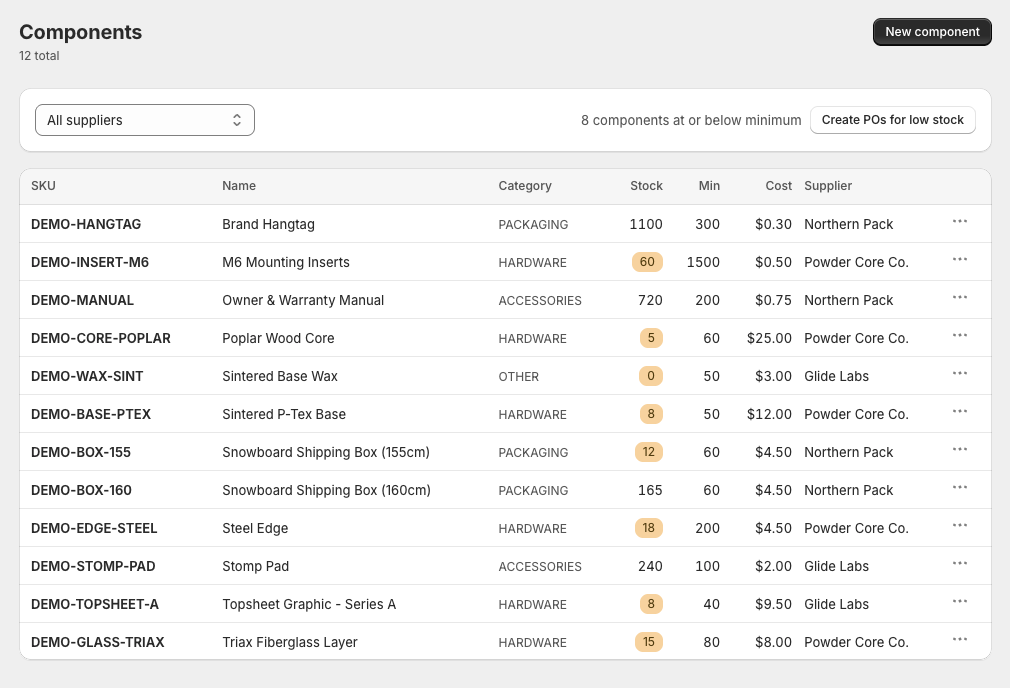
Catalog your components

Add every raw part, packaging item, and accessory. Track current stock, minimum thresholds, supplier, unit cost, and category. Low-stock badges appear automatically when you drop below your minimum.

2

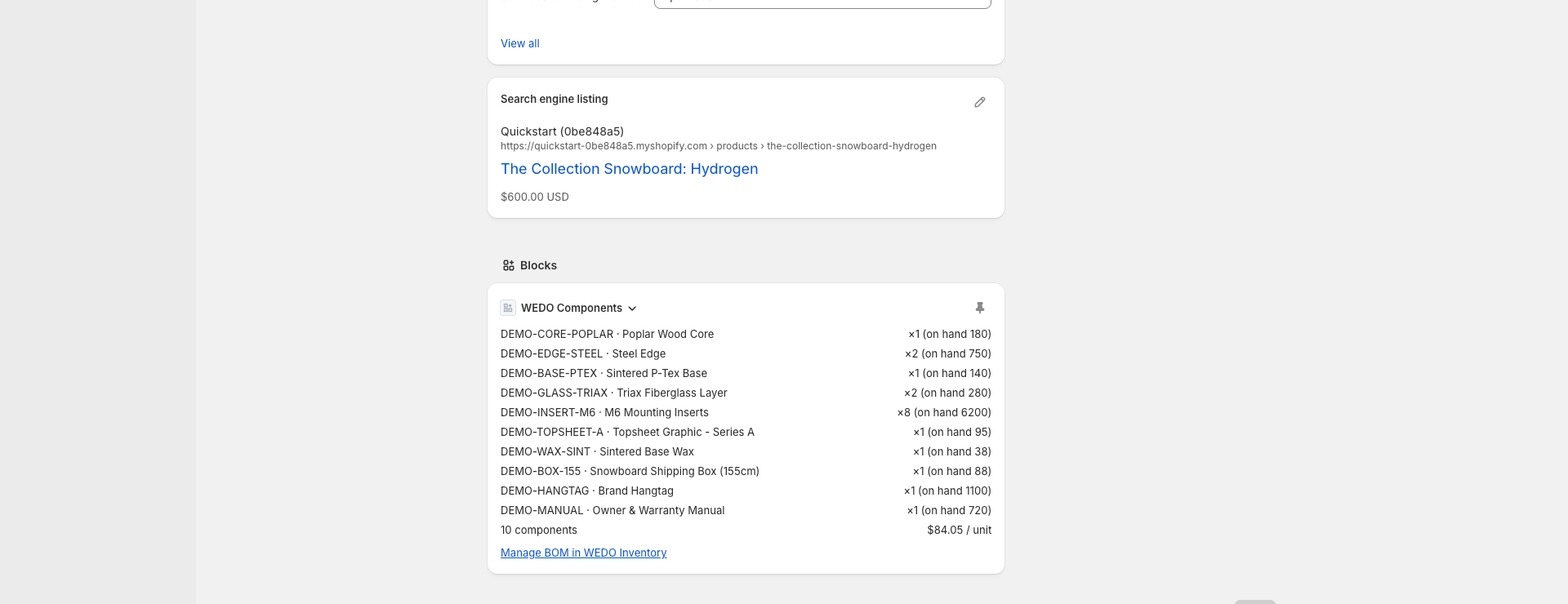
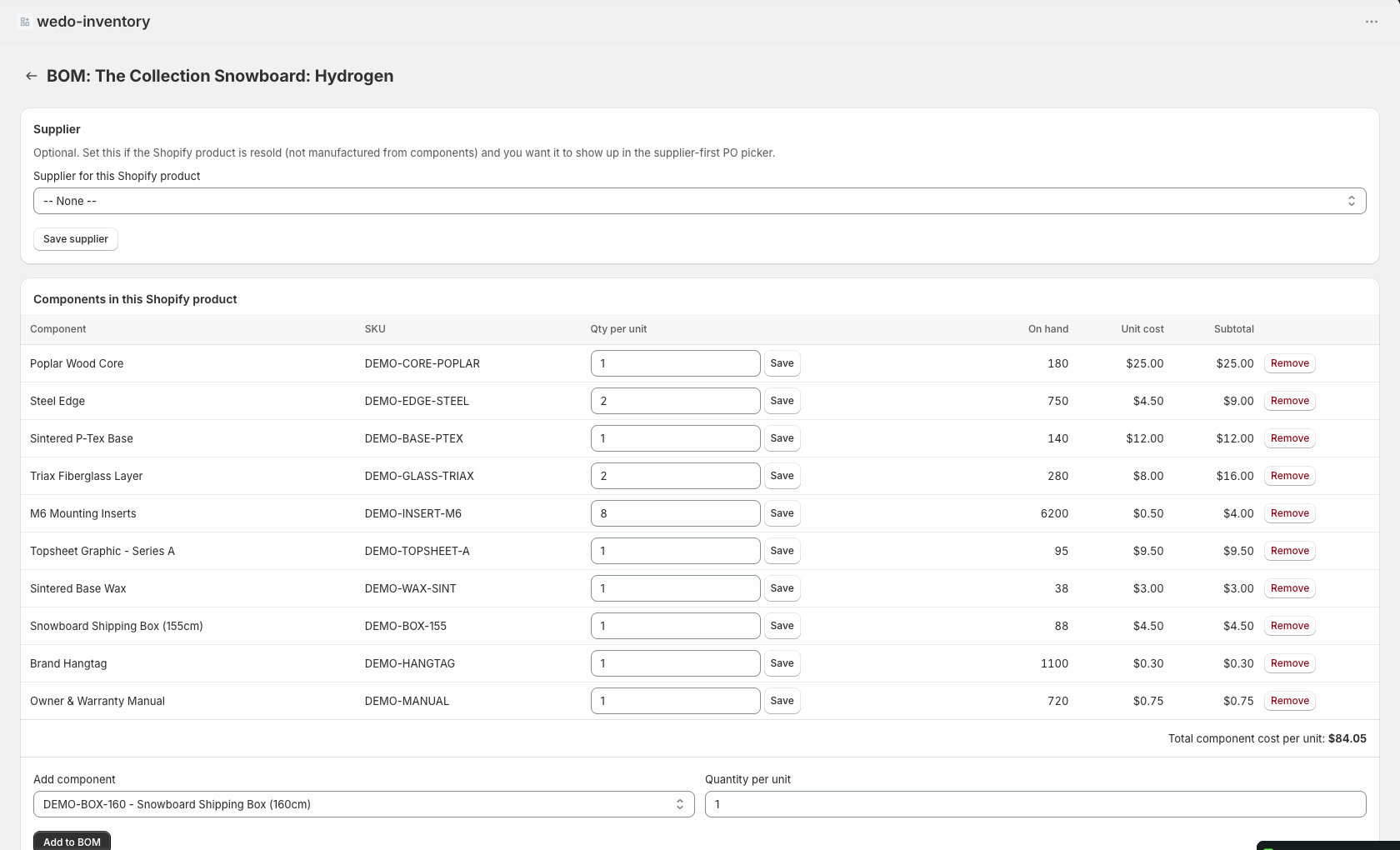
Build kits with a bill of materials

For each Shopify product that's a kit, list the components and quantities. A fishing reel kit might be 1 aluminum reel + 1 line spool + 1 tackle pack + 1 box + 1 label. Link each kit to its Shopify product ID.

3

Sell on Shopify. Components decrement automatically.

Every order fires the ORDERS_CREATE webhook. Matched kits trigger an atomic transaction: each component's stock drops by its BOM quantity, an audit-log entry is written, and the source order ID is recorded. No manual entry.

4

Restock and run production

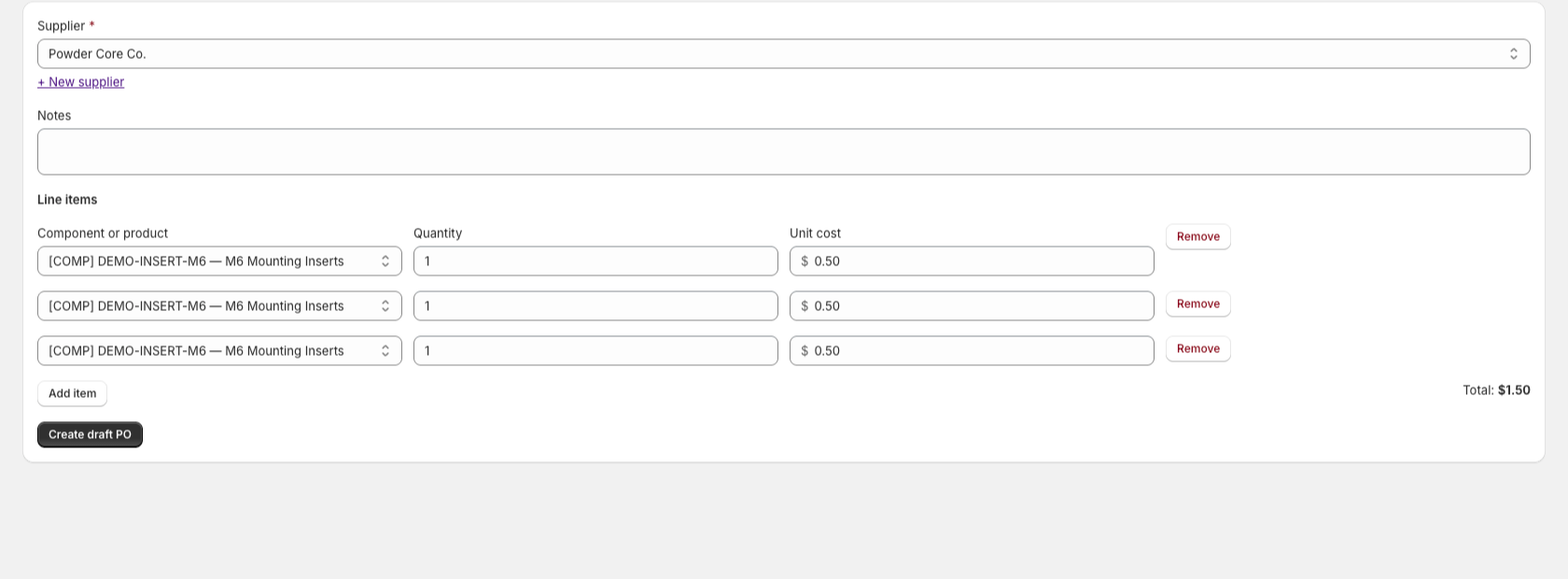
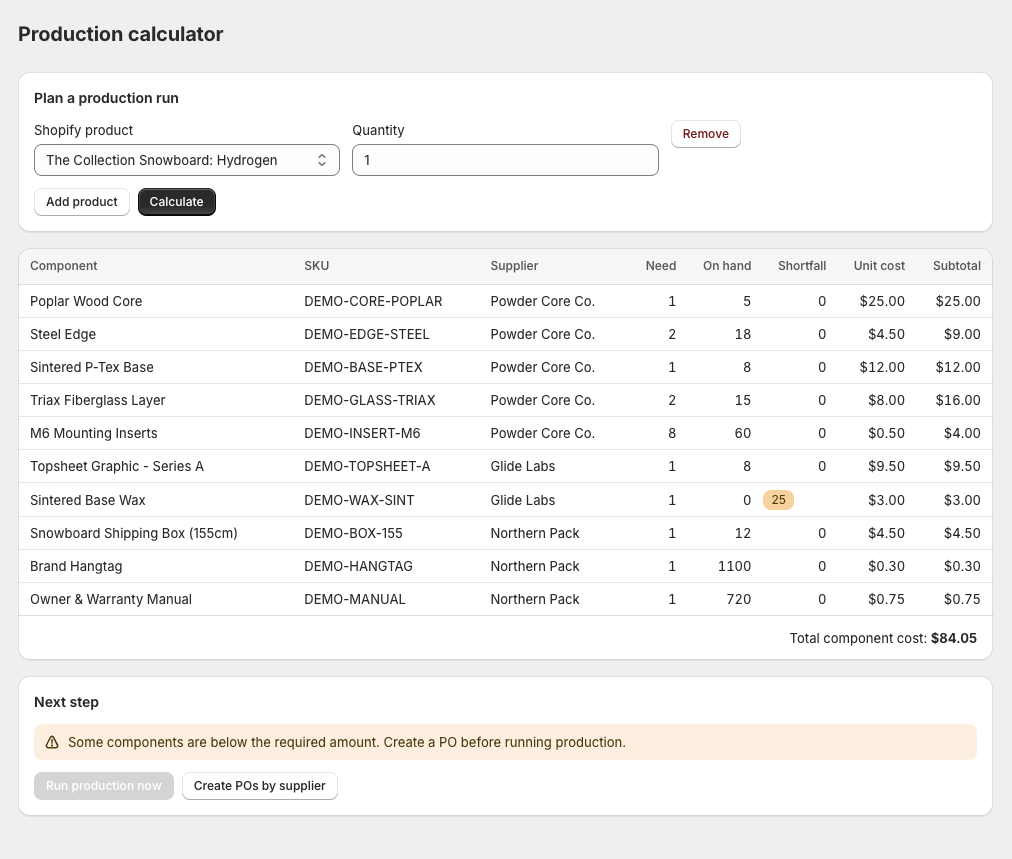
Generate purchase orders from shortfalls. Receive items to push stock back up. Track production runs that consume components and produce finished kits, with full transaction history per component.

Pricing

Free for one product. Paid plans add the order webhook and purchase-order workflow.

Free

$0 /mo
  • 1 kit product
  • Component catalog
  • Manual stock adjustments
  • Production runs
  • Auto-decrement on Shopify orders
  • Purchase orders

Pro

$49 /mo
  • Unlimited kit products
  • Multi-location inventory
  • Advanced reporting
  • API access
  • Everything in Starter
  • 14-day free trial

Ready to install?

Enter your Shopify store domain. Install takes about 30 seconds.